 Social Factory
Watch the TikTok workflow
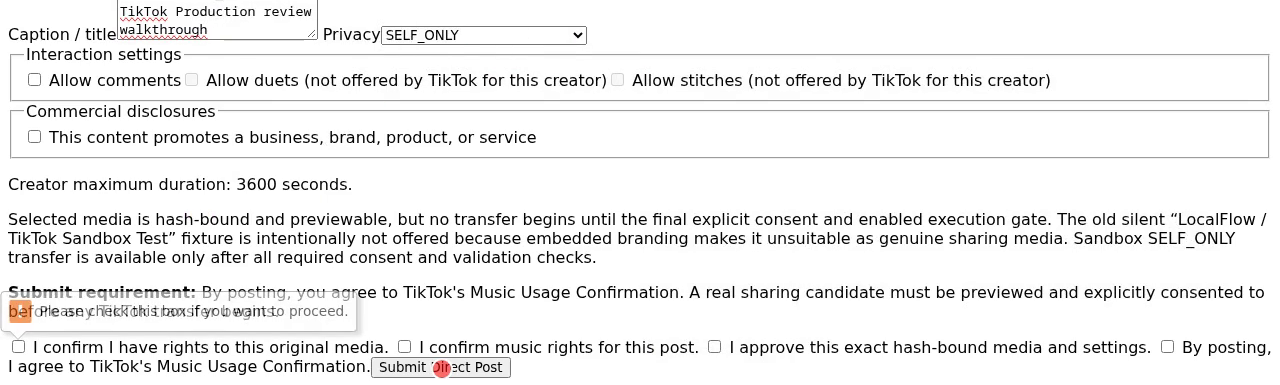
A recording of this deployment's TikTok workspace: connecting an account, loading the creator options TikTok returns, selecting a source video, setting the caption and privacy level, giving explicit consent, and reading back the real result.
About this recording: it is a genuine session against this deployment, driven by an automated browser rather than a person, and it is labelled that way on screen throughout. The clip it submits is a generated colour-bar test file, chosen so that no third party's footage is used for a technical walkthrough. Public posting stays disabled; the submission shown uses SELF_ONLY visibility.
The workspace, as it actually looks

What the workflow guarantees
- Connecting an account transfers no media on its own.
- Creator options come from TikTok for the specific connected account and are refetched immediately before a submission, so an unavailable privacy level is never offered.
- Caption, privacy, interaction settings, commercial disclosure and the rights and consent confirmations are all set per submission.
- The result shown is the one the platform returned. Failures and unknown states are displayed rather than retried.